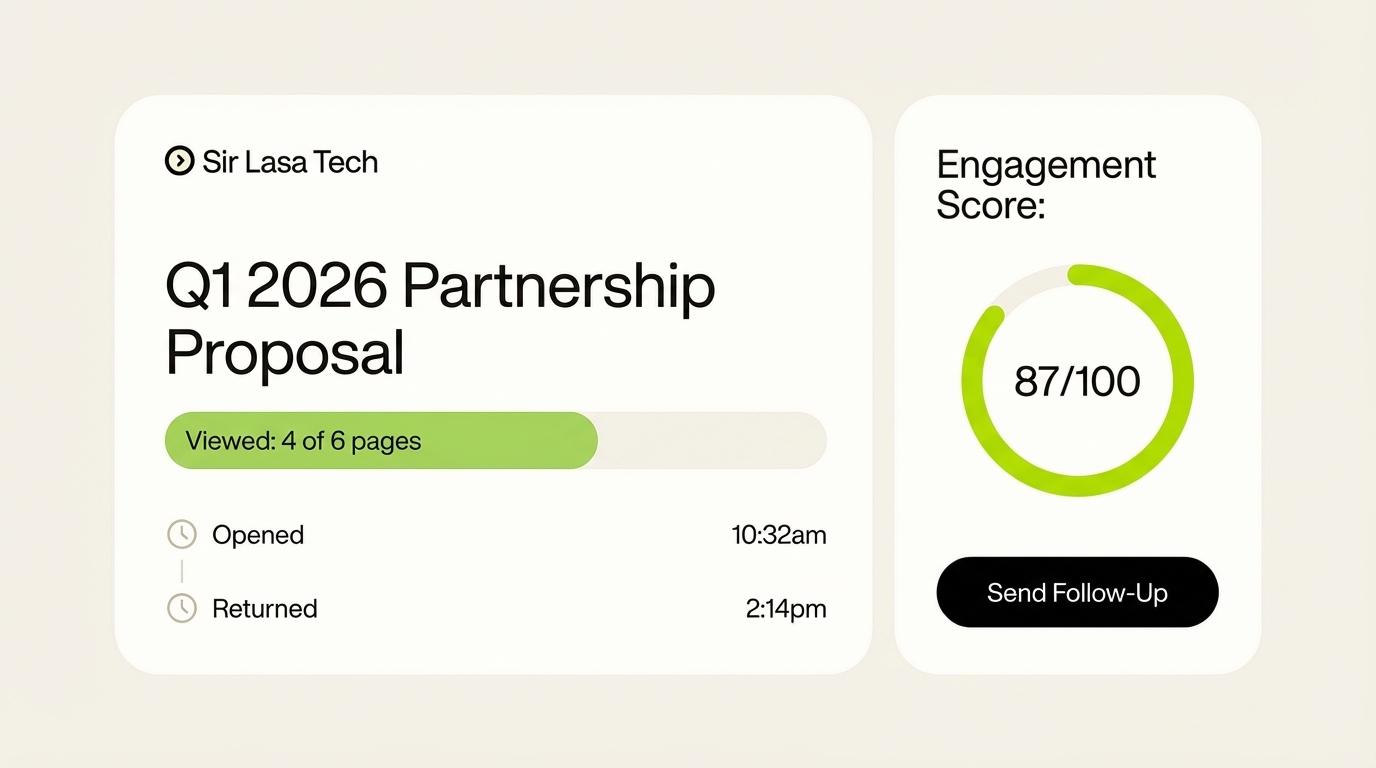
Sending a sales proposal is an important step in a B2B sales process. But what happens after the proposal reaches the prospect?
Does the prospect open it? Do they review the pricing? Do they return to the document a few days later? Does another person in their organisation become involved?
For many small B2B sales teams, answering these questions is not always easy.
A salesperson might send a proposal, set a reminder to follow up in three days, and wait for a response. If the prospect goes quiet, the salesperson has to decide whether to follow up, wait longer or try a different approach.
This is where proposal tracking and engagement tools can help.
These tools provide information about how recipients interact with proposals and other sales documents. Depending on the platform, they may show document views, time spent on pages, repeat visits, recipient activity, signatures and other engagement events.
However, not every tool solves the same problem. Some focus on creating proposals, others specialise in document sharing, and some combine proposal management with engagement analytics.
In this guide, we explore six proposal tracking and engagement tools that small B2B sales teams can consider, what each one offers, and how to choose the right option for their workflow.
What is proposal tracking software?Proposal tracking software helps salespeople monitor what happens after they share a proposal with a potential customer.
Instead of sending a document and relying entirely on email replies, the salesperson can receive information about how the recipient interacts with the shared content.
Depending on the software, this may include:
When a proposal is first opened.
How many times it has been viewed.
Which pages or sections receive attention.
How long recipients spend reviewing different sections.
Whether a recipient returns to the proposal.
Whether a proposal has been signed or accepted.
Whether multiple recipients interact with the document.
These capabilities are often described as document analytics, proposal engagement tracking or sales document tracking.
The purpose is not to replace conversations with prospects. It is to give salespeople additional information that may help them make better follow-up decisions.
For example, if a prospect returns to the pricing section several times, the salesperson may decide to ask whether they need clarification about the pricing structure.
That activity does not prove that the prospect has a pricing objection. It simply gives the salesperson something relevant to investigate.
Why do small B2B sales teams need proposal engagement tools?Small sales teams often have limited time and resources.
A salesperson may be responsible for prospecting, discovery meetings, preparing proposals, managing the CRM and following up with several opportunities at once.
When a proposal is sent, the salesperson usually has to manage the next steps while continuing to work on other deals.
Without visibility into document activity, follow-up can become heavily dependent on reminders and assumptions.
Consider three common situations.
1. The prospect has not responded
A salesperson sends a proposal and receives no response. They do not know whether the prospect has reviewed it, overlooked it or shared it internally.
2. The prospect returns to the proposal
A few days later, the prospect opens the document again. This may be worth noticing, particularly if the salesperson had agreed to follow up on a specific date.
3. Another stakeholder becomes involved
A second person accesses the proposal. This could indicate that the document is being reviewed by someone else in the organisation, although the salesperson may still need to confirm who that person is and what role they play.
In each situation, engagement information can provide additional context.
The salesperson still makes the decision. The software simply helps make some previously invisible activity easier to observe.
6 best proposal tracking and engagement tools to considerThe following platforms serve different needs. Some combine proposal creation, document management and electronic signatures, while others focus more closely on sharing and engagement visibility.
1. DocMetrics – Post-proposal engagement visibilityBest for: Small B2B sales teams that want more visibility into what happens after sending a proposal.
DocMetrics is designed around a specific question: what happens after a salesperson sends a proposal to a potential customer?
Many salespeople already have a process for creating proposals. They may use Word, Google Docs, PDF software or an existing proposal platform.
Their challenge begins after the document is shared.
They need to understand whether prospects are engaging with the proposal, whether activity changes over time and whether there is anything worth considering before the next follow-up.
DocMetrics helps provide this visibility through document engagement analytics.
Its capabilities include:
Shareable document links.
Document viewing and engagement tracking.
Page-level engagement information.
Notifications about document activity.
E-signature functionality.
HubSpot and Slack integrations.
For example, a salesperson may notice that a prospect has returned to a proposal or spent time reviewing a particular section. That information can help the salesperson prepare a more relevant follow-up.
DocMetrics is not designed to tell salespeople exactly what a prospect is thinking. A document view does not prove interest, and time spent on a page does not confirm a buying decision.
Instead, the goal is to make engagement activity visible so the salesperson can combine it with conversations, agreed next steps and other deal information.
Why consider DocMetrics?
It is worth considering if your team already has a way to prepare proposals but wants more insight into recipient engagement after sharing them.
You can explore DocMetrics at https://docmetrics.io and try the sample document before using your own.
2. Dropbox DocSend – Document sharing and analyticsBest for: Teams that prioritise controlled document sharing and recipient engagement information.
Dropbox DocSend is a document-sharing platform used to distribute business documents and monitor recipient interactions.
It can be useful for sales teams that share proposals, presentations and other important documents with external contacts.
Rather than relying only on email attachments, teams can use shared links and gain visibility into document activity.
DocSend is particularly relevant when controlled document distribution and document analytics are important parts of the workflow.
A small sales team should consider whether its sharing controls and analytics provide the information it needs without introducing unnecessary complexity.
Why consider DocSend?
It is worth evaluating if your main requirement is document sharing with engagement visibility, rather than building and managing the entire proposal process in one platform.
Website: https://www.docsend.com
3. PandaDoc – Proposal creation, tracking and e-signaturesBest for: Teams that want to create, send, track and sign business documents.
PandaDoc combines document creation and workflow management with electronic signatures and engagement capabilities.
For small B2B sales teams, this can be useful when proposal preparation itself takes too much time.
Instead of creating every document from scratch, teams can use templates and manage document workflows through the platform.
PandaDoc also provides proposal engagement information, helping salespeople understand how recipients interact with shared documents.
This makes it relevant to businesses that want more than a basic document-sharing tool.
Why consider PandaDoc?
Consider it if your team wants proposal creation, document workflows, signatures and engagement tracking in a broader platform.
Website: https://www.pandadoc.com
4. Proposify – Proposal management and document insightsBest for: Sales teams and service businesses that regularly create and send formal proposals.
Proposify focuses on the proposal process, helping businesses create, manage and deliver sales proposals.
It is particularly relevant to agencies, consultants and B2B service providers that send proposals frequently.
Its document insights provide information about proposal activity, including views and engagement with different sections.
This can help salespeople understand which parts of their proposals receive attention and prepare more informed follow-up conversations.
For teams that also want consistency across their proposals, templates and reusable content can be valuable.
Why consider Proposify?
It is worth exploring if your business needs a structured proposal creation process alongside engagement information.
Website: https://www.proposify.com
5. Qwilr – Interactive proposals and buyer engagementBest for: Teams that want to deliver proposals through interactive web pages.
Qwilr takes a different approach to traditional PDF proposals.
Instead of relying entirely on static documents, businesses can create web-based proposals with interactive content.
Its platform combines proposal creation with engagement analytics, notifications and electronic signatures.
Salespeople can monitor how buyers interact with proposal content and use that information when deciding how to follow up.
For example, Qwilr provides engagement information about what buyers view and interact with, as well as notifications about certain proposal activities.
This can be useful for teams that want their proposals to feel more interactive while also gaining visibility into buyer engagement.
Why consider Qwilr?
Consider it if your team prefers web-based proposals and wants proposal presentation, engagement tracking and signing capabilities together.
Website: https://qwilr.com
6. GetAccept – Digital sales engagement and proposal trackingBest for: B2B sales teams that want proposals, document tracking and broader digital sales workflows.
GetAccept combines proposal software with digital sales engagement capabilities.
Its platform supports proposal creation, electronic signatures, document tracking and collaboration around sales documents.
Its proposal tracking capabilities provide information about how buyers interact with proposals, including document views and time spent on sections.
For teams managing deals with multiple stakeholders, this information can be useful when preparing follow-ups and understanding how a proposal is progressing.
GetAccept also offers a broader sales workflow than a simple document-sharing platform.
Why consider GetAccept?
It may be worth exploring if your sales process involves multiple stakeholders, proposal workflows, signatures and additional sales engagement activities.
Website: https://www.getaccept.com
Proposal tracking tools comparisonChoosing a platform becomes easier when you compare what each product is primarily designed to do.
ToolMain focusSuitable when you needDocMetricsPost-proposal engagement visibilityInsight into activity after sharing a proposalDropbox DocSendDocument sharing and analyticsControlled sharing and document engagementPandaDocDocument workflowsProposal creation, tracking and signaturesProposifyProposal managementProposal templates, delivery and insightsQwilrInteractive proposalsWeb-based proposals and buyer engagementGetAcceptDigital sales engagementProposal workflows and broader deal collaboration
This is a high-level comparison, not a claim that every platform has identical tracking capabilities. Features, integrations and availability can vary by subscription plan.
What features should you look for in a proposal tracking tool?Before choosing a platform, it helps to understand which capabilities will make a practical difference to your sales process.
Here are six areas worth evaluating.
1. Real-time proposal notificationsA notification can tell a salesperson when a prospect opens a shared proposal or performs another tracked action.
This can help the salesperson understand when activity happens without repeatedly checking the document manually.
However, notifications should be useful rather than overwhelming. A tool that sends an alert for every minor event may create more work instead of reducing it.
2. Page-level engagement analyticsA proposal may contain several sections, including the problem statement, proposed solution, pricing, implementation plan and terms.
Page-level analytics can help salespeople see which sections receive attention.
For example, repeated attention to implementation details may give the salesperson a reason to prepare additional information about delivery or timelines.
It does not necessarily mean the prospect has an implementation concern. The activity should be interpreted in context.
3. Repeat visit trackingA prospect may return to a proposal several days after receiving it.
This can be useful information, especially when the salesperson is waiting for an agreed decision or follow-up date.
A repeat visit is not a guarantee that the deal is moving forward. It is simply another engagement event that may be worth considering.
4. Multiple viewer visibilityB2B purchasing decisions frequently involve several people.
A salesperson may initially send a proposal to one contact, but other stakeholders may need to review it before the business makes a decision.
Some proposal engagement tools can help identify activity from different viewers, depending on their sharing and recipient-identification features.
This can help salespeople recognise when additional stakeholders may be involved.
5. CRM and sales workflow integrationsSalespeople already use CRM platforms to manage contacts, opportunities, tasks and customer conversations.
A proposal tracking tool that integrates with an existing CRM can make it easier to keep document activity connected to the relevant opportunity.
Look for integrations that fit your current workflow rather than choosing a platform simply because it offers a long list of integrations.
6. Security and recipient controlsSales proposals can contain confidential business information, pricing and customer details.
Before selecting a platform, review its access controls, authentication options, link permissions, data handling and security documentation.
The right level of protection depends on the sensitivity of the documents your team shares.
How proposal engagement information can improve follow-up decisionsTracking a proposal is useful only when the information helps the salesperson make a better decision.
Consider this example.
A salesperson sends a proposal to a prospect on Monday. They agree to reconnect on Friday.
On Tuesday, the prospect opens the proposal.
On Wednesday, the prospect returns and spends time reviewing the pricing section.
On Thursday, another identified viewer accesses the document.
What should the salesperson do?
There is no automatic answer.
The salesperson might decide to prepare a clarification about pricing, ask whether another stakeholder should join the next conversation, or simply wait until Friday as agreed.
The important difference is that the salesperson has more information to consider.
This is where proposal engagement analytics can support a more thoughtful follow-up process.
Instead of treating every quiet prospect the same way, salespeople can combine observed activity with the relationship, the buyer's questions and the next steps already agreed.
Engagement data should support sales judgement, not replace it.
How much does proposal tracking software cost?The cost of proposal tracking software varies depending on the provider, number of users, subscription plan and features included.
Some platforms package tracking with proposal creation and electronic signatures. Others focus more heavily on document sharing and analytics.
When comparing prices, consider:
Whether the subscription is charged per user.
Whether there are limits on document sharing.
Whether engagement analytics are included in the plan.
Whether CRM integrations require a higher subscription.
Whether electronic signatures are included.
Whether a free trial or free plan is available.
Whether annual billing is required.
Do not choose a platform based on its starting price alone.
A low-cost plan may not include the tracking features your team actually needs. Equally, a more expensive platform may include capabilities that a small team rarely uses.
The best option is one that solves your main problem at a cost your business can justify.
How to choose the right proposal engagement tool for your teamBefore making a decision, ask yourself one simple question:
Where does our sales process need the most improvement?
If your team spends too much time preparing proposals, look at proposal creation and document workflow platforms.
If your main concern is distributing sensitive documents, prioritise document-sharing controls.
If you want to collect signatures more efficiently, look for electronic signature capabilities.
But if your proposal process already works and your biggest challenge begins after you send the document, focus on proposal engagement and analytics.
You should also consider the following:
How many proposals does your team send each month?
Who is responsible for following up?
Do you need page-level engagement information?
Do several stakeholders usually review your proposals?
Does the tool fit your existing CRM and sales process?
Will your team actually use the information it provides?
A small team does not need the most complicated platform. It needs a tool that solves a real problem without creating unnecessary work.
Frequently asked questionsWhat is the best proposal tracking software for small B2B sales teams?The best option depends on the team's needs. DocMetrics focuses on post-proposal engagement visibility, DocSend on document sharing and analytics, PandaDoc on document workflows, Proposify on proposal management, Qwilr on interactive proposals and GetAccept on digital sales engagement.
Can I track whether a prospect opens my proposal?Yes. Several proposal tracking and document analytics platforms provide notifications or activity records when a shared proposal is opened. The exact tracking and recipient-identification capabilities vary by product and plan.
Can proposal tracking software show which pages a prospect reads?Some platforms provide page-level or section-level engagement information. This can help salespeople understand which parts of a proposal receive attention, although it cannot establish exactly what a recipient thinks about the content.
Is proposal tracking useful for small businesses?It can be useful when a small business regularly sends proposals and needs more visibility into recipient activity. It is especially relevant when the same salesperson manages several opportunities and needs information to support follow-up decisions.
What is the difference between proposal software and proposal tracking software?Proposal software often focuses on creating, formatting, sending and signing proposals. Proposal tracking software focuses on monitoring recipient engagement after a proposal is shared. Some platforms combine both sets of capabilities.
Does proposal engagement tracking tell me whether a customer will buy?No. Tracking tools provide observations about document activity. They cannot reliably determine a buyer's intentions or guarantee that a deal will close. Salespeople still need to communicate with prospects and understand their decision-making process.
Final thoughtsSmall B2B sales teams do not always need a large collection of sales tools. Sometimes, they need a clearer understanding of one important stage in their existing process.
Sending a proposal is not the end of a sales conversation. What happens afterward can influence the next follow-up, the questions a salesperson asks and the way an opportunity is managed.
Proposal tracking and engagement tools can make some of that activity visible.
The right platform depends on whether your team needs help creating proposals, sharing documents, collecting signatures or understanding how prospects engage with the material they receive.
If your team already has a proposal process and wants to understand what happens after hitting send, DocMetrics is built to help explore that part of the sales journey.
You can visit https://docmetrics.io, try the sample document and see how proposal engagement information can fit into your workflow.
The goal is simple: give salespeople more context, so they can make better follow-up decisions without guessing what a prospect is thinking.
DocMetrics Team
Writing about document sharing, analytics, and how teams use DocMetrics to track engagement and close deals faster.