How It Works
From upload to insight — in minutes.
DocMetrics turns every document you share into measurable engagement signals. See who opened it, what they spent time reading, how engagement changes over time, and use those insights to make better follow-up decisions.
Start for freeNo credit card required

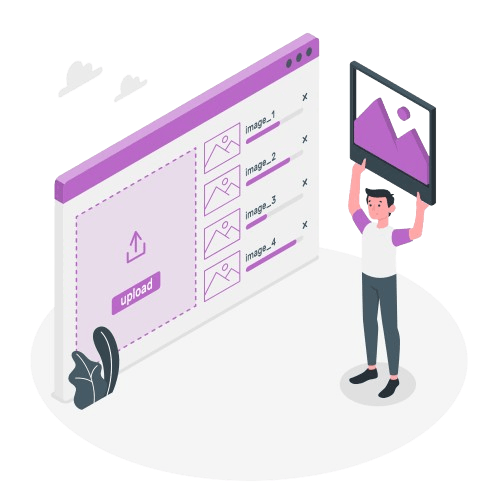
Upload your document and get a secure link instantly.
Drag your PDF into DocMetrics and within seconds you have a trackable share link ready to send. Import directly from Google Drive or OneDrive — no downloading required.
- PDF files — pitch decks, proposals, contracts, NDAs
- Import directly from Google Drive or OneDrive
- Each link is unique so tracking is always accurate
- Upload once, create unlimited share links from the same document
Control exactly who sees your document and how.
Every link you create has its own settings. Require an email, add a password, restrict to specific domains, set an expiry date, or block downloads — all before you send.
- Require an email address before anyone can open the link
- Password protect sensitive documents
- Restrict access to specific email addresses or company domains
- Block downloads and forwarding
- Set a link to expire after a number of views or a specific date

See every page they read — in real time.
The moment your recipient opens the link you get a notification. A bar chart shows exactly how long they spent on each page, which pages they skipped, and which ones they came back to.
- Instant notification by email, Slack, or in-app the moment your document is opened
- Page-by-page bar chart shows reading time for every visitor
- Revisit indicator shows when someone comes back to a page
- Track multiple visitors on the same link and compare engagement
- Live indicator shows when someone is reading right now

Spot engagement patterns before your next follow-up.
DocMetrics highlights patterns like repeat page views, pricing revisits, stakeholder activity, and changing engagement over time. These signals help you decide how and when to follow up.
- Identify pages prospects return to multiple times
- See when document engagement slows or stops
- Track return visits over time to understand ongoing engagement
- Get notified when new engagement happens after the initial send
- Use engagement data alongside your CRM and sales process to make better decisions

Help prospects understand complex documents.
Reading time tells you how long they stayed. DocMetrics goes further — record a short video walkthrough for any page. Prospects watch your explanation without leaving the document and you see exactly how much they understood.
- Record a 60-second video explanation for any page
- A floating bubble appears as the viewer reads — they click to watch
- See how much of the video each person watched and whether they replayed it
- Viewers mark each page as clear or flag that they have questions
- Deal intent question at the end — ready to move forward, need more info, or discussing with team

Send for signature and track every step of the signing process.
Send documents for e-signature directly from DocMetrics. The signer reads, watches your walkthroughs, and signs in one seamless flow. You see how long they read before signing and which page they were on when they declined.
- Send signature requests to one or multiple recipients
- Track time to open, time to sign, and pages viewed before signing
- Signing funnel shows how many opened, scrolled to signature, and completed
- Bundle multiple documents into one envelope for complex deals
- All signature data appears in the same analytics dashboard

Organize everything for one deal in a secure data room.
A Space is a private branded environment for one client, investor, or deal. Invite people with one link, assign roles, and track every view across every document inside.
- Create a branded space with folders — financial, legal, pitch materials
- Invite clients or investors with role-based access
- Require an NDA signature before anyone can enter
- Full audit log — every action, every document view, every download, timestamped
- Q&A tab where visitors ask questions and you reply inside the space
Ready to track your first document?
Start for free — no credit card required. Upload a document and see your first analytics in under two minutes.
No credit card required